
1. Download the Product Installer
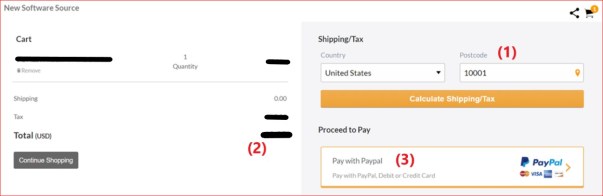
In our Product page, click on the “Add to Cart” button to bring up the Cart page. In the Cart page: 1) Enter your zip code, then 2) Click on “Calculate Shipping/Tax” to calculate the Total to pay; and then 3) Click on “Pay with PayPal” so you can pay with your credit/debit card:
Once you complete the payment in PayPal, the download page will appear; one way to start the download is to click on “Click Here”:

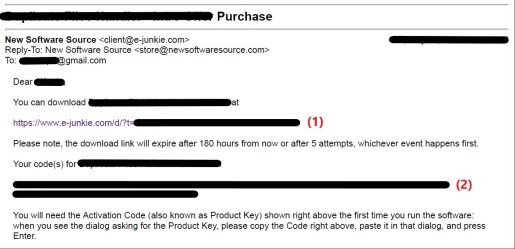
Another way to start the download is to use the use the email you receive once the payment is completed: 1) Click on the download link:
 New Software Source